Type a word above and watch it turn into festive Christmas text in real time. Every style on this page is built from genuine Unicode characters, not an image, so the result pastes cleanly into Instagram, WhatsApp, Discord or Merry Christmas messages to friends and family.
Christmas Fonts — Free Copy and Paste
Most Christmas fonts quietly drop letters like C, H or R. Every style here is tested letter by letter first, so your Merry Christmas message always comes out complete.
TtCharacter Count: 0
18px
Jump to style:
Old English Christmas
Old English Christmas
Old English Snowflake
Old English Star
Old English Holly
Old English Tree
Old English Bell
Old English Gift
Old English Sparkle
Old English Corner
Old English Ribbon
Old English Filigree
Old English Angle
Old English Santa
Old English Snowman
Old English Reindeer
Old English Glowing Star
Old English Candle
Old English Frost
Old English Evergreen
Old English Snow Sparkle
Old English Cookie
Old English Candy
Old English Dove
Old English Starburst
Old English Mrs Claus
Old English Ice Crystal
Bold Old English
Bold Old English
Bold Old English Snowflake
Bold Old English Star
Bold Old English Holly
Bold Old English Tree
Bold Old English Bell
Bold Old English Gift
Bold Old English Sparkle
Bold Old English Corner
Bold Old English Ribbon
Bold Old English Crown
Bold Old English Angle
Bold Old English Santa
Bold Old English Snowman
Bold Old English Reindeer
Bold Old English Glowing Star
Bold Old English Candle
Bold Old English Frost
Bold Old English Evergreen
Bold Old English Snow Sparkle
Bold Old English Music
Bold Old English Cookie
Bold Old English Heart
Bold Old English Starburst
Bold Old English Scarf
Bold Old English White Star
Christmas Bold
Christmas Bold
Christmas Bold Snowflake
Christmas Bold Star
Christmas Bold Holly
Christmas Bold Tree
Christmas Bold Bell
Christmas Bold Gift
Christmas Bold Sparkle
Christmas Bold Lenticular
Christmas Bold Corner
Christmas Bold Ribbon
Christmas Bold Angle
Christmas Bold Santa
Christmas Bold Snowman
Christmas Bold Reindeer
Christmas Bold Glowing Star
Christmas Bold Candle
Christmas Bold Frost
Christmas Bold Evergreen
Christmas Bold Snow Sparkle
Christmas Bold Cookie
Christmas Bold Candy
Christmas Bold Dove
Christmas Bold Starburst
Christmas Bold Mittens
Christmas Bold Black Star
Festive Sans
Festive Sans
Festive Sans Snowflake
Festive Sans Star
Festive Sans Holly
Festive Sans Tree
Festive Sans Bell
Festive Sans Gift
Festive Sans Sparkle
Festive Sans Lenticular
Festive Sans Corner
Festive Sans Ribbon
Festive Sans Angle
Festive Sans Santa
Festive Sans Snowman
Festive Sans Reindeer
Festive Sans Glowing Star
Festive Sans Candle
Festive Sans Frost
Festive Sans Evergreen
Festive Sans Snow Sparkle
Festive Sans Music
Festive Sans Heart
Festive Sans Cookie
Festive Sans Starburst
Festive Sans Mrs Claus
Festive Sans Ice Crystal
Holiday Script
Holiday Script
Holiday Script Snowflake
Holiday Script Star
Holiday Script Holly
Holiday Script Tree
Holiday Script Bell
Holiday Script Gift
Holiday Script Sparkle
Holiday Script Heart
Holiday Script Flower
Holiday Script Ribbon
Holiday Script Angle
Holiday Script Santa
Holiday Script Snowman
Holiday Script Reindeer
Holiday Script Glowing Star
Holiday Script Candle
Holiday Script Frost
Holiday Script Evergreen
Holiday Script Snow Sparkle
Holiday Script Dove
Holiday Script Candy
Holiday Script Cookie
Holiday Script Starburst
Holiday Script Scarf
Holiday Script Mittens
Holiday Script White Star
Holiday Script Black Star
What Are Christmas Fonts?
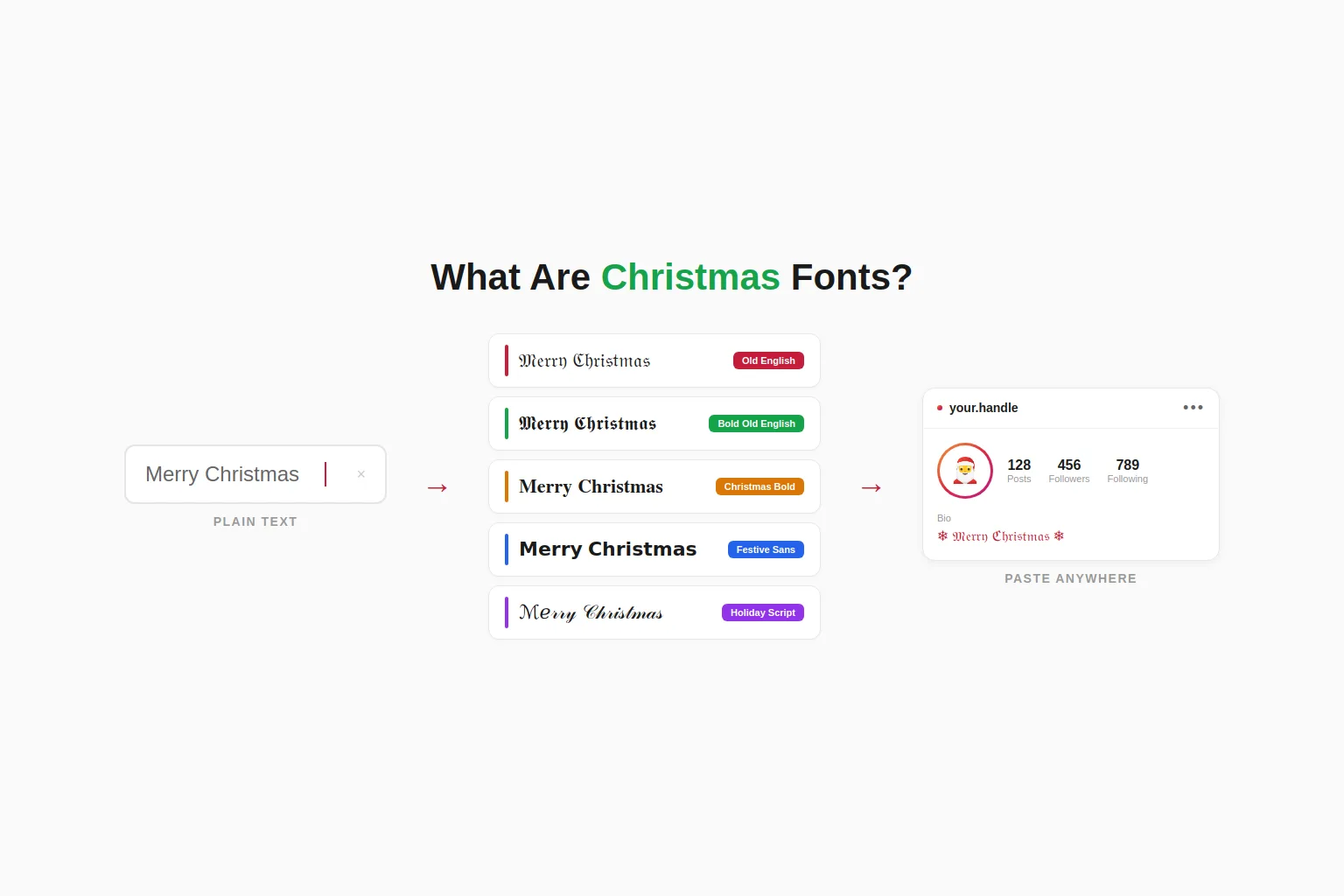
Christmas fonts are text styles that make a word look festive without changing a single letter underneath. This tool does not create a picture or a downloadable font file. It swaps each letter for a matching character from the Unicode standard, the same system every phone and computer already uses to display text.
That matters because the result behaves like normal text everywhere. A styled word can be copied, pasted, searched and sent through any app that accepts text, unlike a font file that needs installing or an image that needs uploading.
Unicode is simply the shared list of characters that every device agrees on, covering plain letters, numbers, symbols and the styled letters used on this page. That shared agreement is the only reason a snowflake or a bold letter looks the same on an iPhone as it does on a laptop.
How to Use a Christmas Text Generator
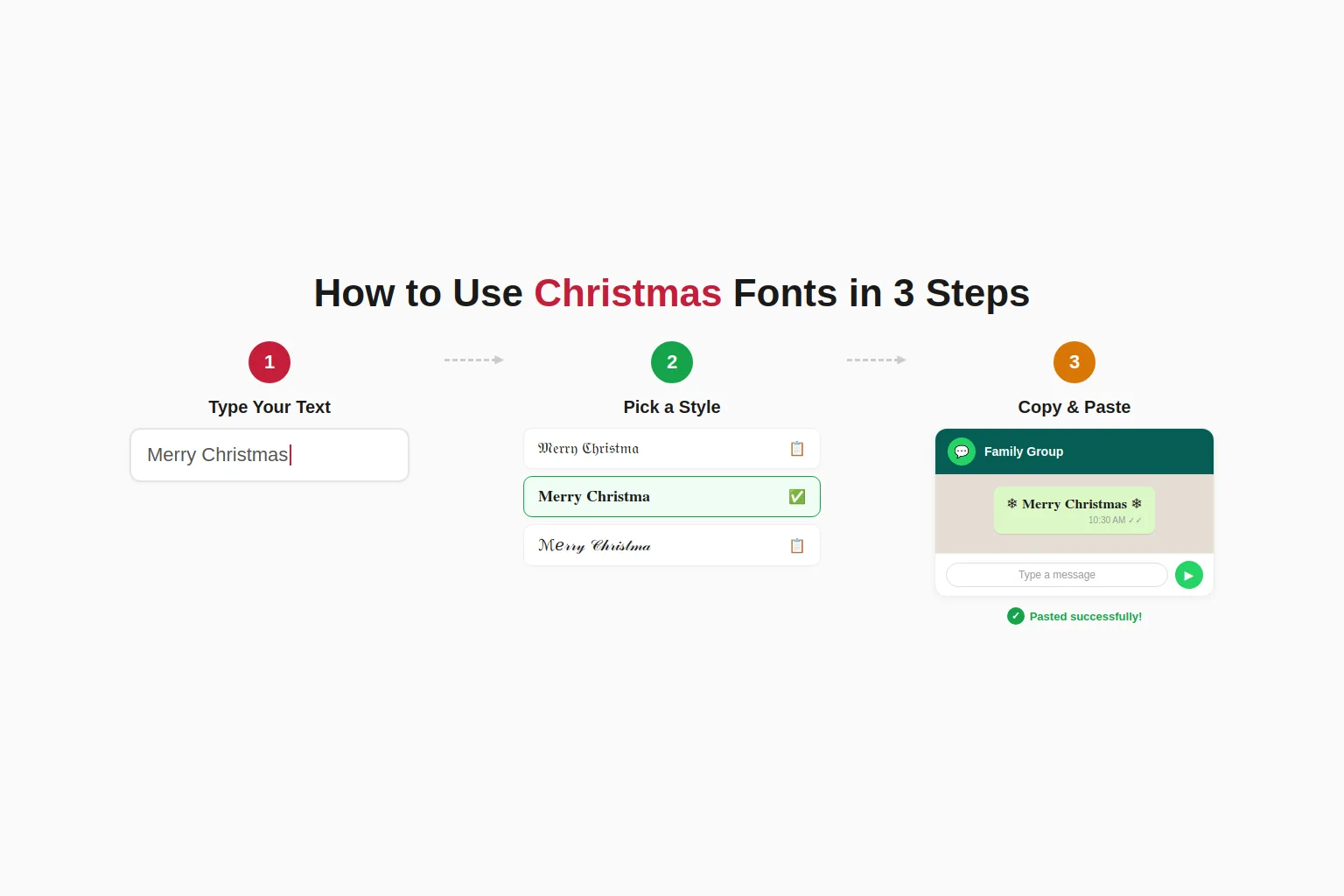
Using the xmas text generator takes three steps. Type or paste your word into the box at the top of the page. Every style card below updates at the same time, so there is nothing to click to see results. Scroll through the cards and pick the one that fits your message.
Clicking or tapping any style sends the styled word straight to your device clipboard, ready to drop into your next message. Phone users bring up the paste menu with a long press inside the text field, while Windows and Mac users can rely on the familiar Ctrl+V or Command+V shortcut instead.
If a symbol looks like a small box after pasting, try a different style, since that app or device may not support every character yet. Not sure what to type? Common choices include Merry Christmas, Happy Holidays, Season’s Greetings and Happy New Year, though any word or short phrase works just as well.
Christmas Font Styles You Can Copy and Paste
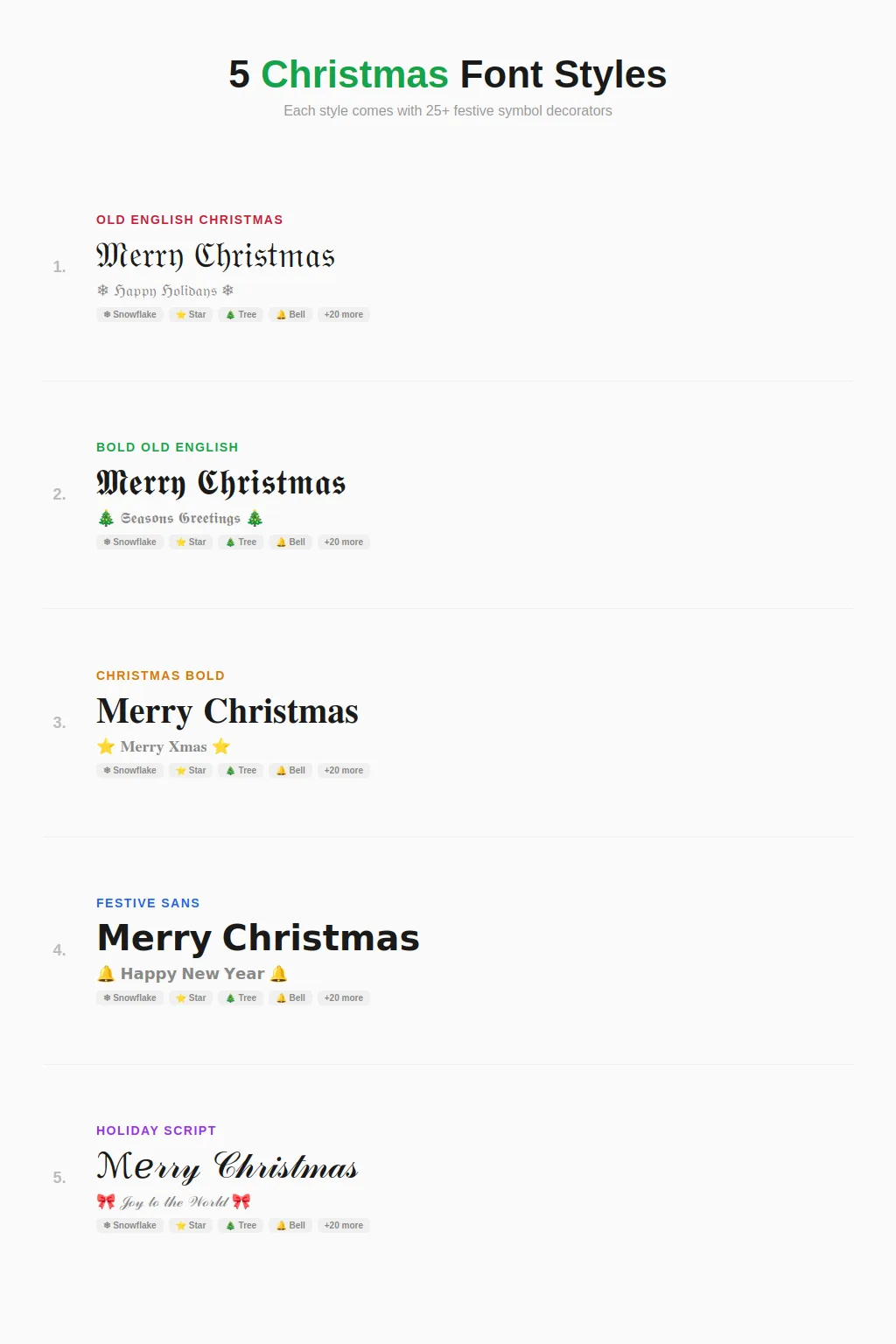
Five styles are available on this page, each built from a different Unicode block and suited to a different kind of message. Pick one below and see how it looks with your own word at the top of the page.
Old English Christmas
Old English Christmas uses Fraktur letters from Unicode’s Mathematical Alphanumeric block, a traditional Gothic style used for centuries in formal lettering, heritage signage and diplomas. Checking every capital letter against the Unicode chart shows five gaps, C, H, I, R and Z, which are missing from that block on their own.
This christmas font generator pulls those five from an older Unicode block instead, keeping every word complete. For decorative Gothic and ornamental text outside of Christmas, our fancy font generator offers year-round options.
Bold Old English
Bold Old English uses the bold version of the same Fraktur letters, which covers every capital letter without any gaps. Choose this card over the regular Old English style whenever a word leans heavily on C, H, I, R or Z and needs every letter to match perfectly.
Christmas Bold
Christmas Bold uses the standard Unicode bold alphabet, a reliable set that covers every letter and number without exception. It reads clearly at any size, which makes it a solid pick for short greetings, event titles or a bio that needs to stand out. For bold text beyond the holiday season, the bold font generator covers the full range of Unicode bold styles.
Festive Sans
Festive Sans applies a clean, bold sans serif style for a more modern take on holiday text. It works well next to a snowflake or star symbol for a simple, minimal look, or on its own for tags, invitations and short announcements.
Holiday Script
Holiday Script uses Unicode’s flowing script alphabet, suited to greetings and signatures. Testing every letter against the script character set turns up eleven gaps, capitals B, E, F, H, I, L, M and R, along with lowercase e, g and o.
Each one is mapped in from an older Unicode block, so every word still renders in full. If you prefer a flowing script look year-round, our cursive fonts collection offers additional handwritten styles.
For spooky seasonal text during October, our Halloween font generator offers Gothic and glitch styles built from the same Unicode system.
How to Use Christmas Fonts on Instagram, WhatsApp, Discord and Other Apps
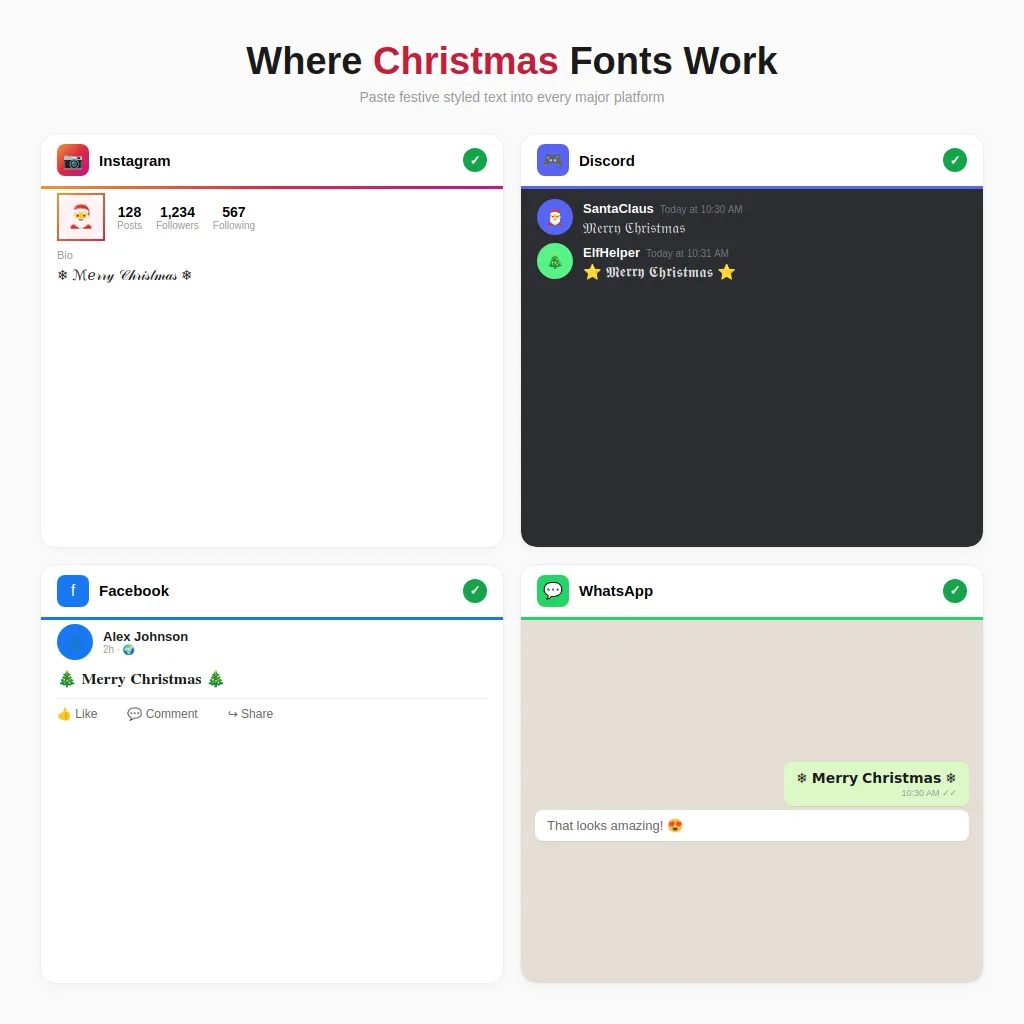
Christmas fonts paste correctly into Instagram bios, captions and stories, since Instagram accepts standard Unicode text almost everywhere on the app. Pinterest descriptions and Telegram messages work the same way, so a styled greeting shows up exactly as it appeared on this page. For styles designed specifically for Instagram profiles, see our Instagram font generator.
Facebook works a little differently depending on where the text goes. A styled greeting pastes cleanly into a regular post, a comment or a page bio, but Facebook’s name field, like Discord’s username, restricts characters and will reject styled text there. For more Facebook-specific styles, our fb font generator covers what works in each field.
WhatsApp status updates and chats also accept styled text without any issue, making it a simple way to send a festive Merry Christmas message to a group or contact. The same applies to text messages on most modern phones.
Discord needs a small distinction, confirmed by testing both fields directly. The display name shown across servers and messages fully supports styled Christmas text, so it works there without a problem.
The Discord username, the unique handle used to log in, only accepts lowercase letters, numbers, underscores and periods, so styled text will not save there. For a full set of Discord-specific styles beyond Christmas, our Discord font generator has 140+ options.
X, formerly known as Twitter, also accepts styled Christmas text in posts and bios. Worth knowing that most decorative Unicode styles count as two characters per letter toward the post limit, so a long styled greeting can use up space faster than plain text would. For more X-optimized styles that balance character count with visual impact, try our Twitter font generator.
Christmas Symbols and Emoji Cheat Sheet
Add a snowflake, star, bell or tree next to any styled word above for a quick festive touch. Many of these symbols come from Unicode’s Dingbats block, a set of decorative characters that has existed since 1993, long before emoji became common on phones.
The snowflake at U+2744 is a good example of how this works. It carries an official emoji designation, so it can appear as a simple black outline on one device and a full colour icon on another, depending on how that platform chooses to display it.
That 1993 origin is also why these symbols tend to render more consistently across old and new devices than modern emoji do. Emoji design changes yearly with new phone releases, while a Dingbats character has looked essentially the same for over three decades.
| Symbol | Name | Unicode |
|---|---|---|
| ❄ | Snowflake | U+2744 |
| ❅ | Tight Snowflake | U+2745 |
| ❆ | Heavy Snowflake | U+2746 |
| ⭐ | Star | U+2B50 |
| 🌟 | Glowing Star | U+1F31F |
| ☆ | White Star | U+2606 |
| ★ | Black Star | U+2605 |
| ✶ | Starburst | U+2736 |
| ✦ | Sparkle | U+2726 |
| 🔔 | Bell | U+1F514 |
| 🎄 | Christmas Tree | U+1F384 |
| 🌲 | Evergreen Tree | U+1F332 |
| 🎅 | Santa Claus | U+1F385 |
| 🤶 | Mrs. Claus | U+1F936 |
| 🎁 | Gift | U+1F381 |
| 🎀 | Ribbon | U+1F380 |
| 🦌 | Reindeer | U+1F98C |
| ☃ | Snowman | U+2603 |
| ⛄ | Snowman Without Snow | U+26C4 |
| 🕯 | Candle | U+1F56F |
| 🧣 | Scarf | U+1F9E3 |
| 🧤 | Mittens | U+1F9E4 |
| 🍪 | Cookie | U+1F36A |
| 🍬 | Candy | U+1F36C |
| 🕊 | Dove | U+1F54A |
| ❤ | Heart | U+2764 |
| 🎶 | Music Notes | U+1F3B6 |
Explore More Tools
Want more than christmas fonts? Check out these generators for letters, symbols, and complete text styling.
Frequently Asked Questions
A handful of letters are missing from certain Unicode style blocks on their own. Old English style is missing C, H, I, R and Z, and Holiday Script is missing eight capital letters and three lowercase letters. This christmas font generator fills each gap using a matching character from an older Unicode block, so the word still reads correctly instead of leaving a blank space.
The display name that appears across every server and message accepts styled Christmas text without any issue, along with channel topics and server descriptions. The one exception is the username itself, Discord’s login handle, which is locked down to plain lowercase letters, numbers, underscores and dots.
Yes. The X stands for the Greek letter chi, the first letter in the Greek word for Christ, and the abbreviation has been documented since around the year 1021. It is a genuinely old shorthand, not a modern shortcut, so using it in a styled greeting is perfectly fine.
This happens when a device or app has not added support for that particular Unicode character yet. It is uncommon on modern phones and browsers, but very old software can sometimes lag behind the full Unicode standard. Trying a different style from this page usually solves it.
Not fully. A screen reader often reads a styled letter by its technical Unicode name instead of the letter itself, so a styled word can sound like a string of jargon rather than a normal sentence. For a caption or bio that everyone can enjoy, keep the styled text as a visual flourish and place a plain text version of the same words nearby, either right after it or in a description field. That way a screen reader always has a normal sentence to read out.
Mostly, yes. These are standard Unicode characters supported on modern iPhones, Android devices and desktop browsers. Very old devices or apps with strict filters may show a blank box instead, though this is rare on anything released in the last several years.
Yes. Since this tool generates text rather than a font file, there is no license to buy or track. The Unicode standard itself is free and open for anyone to use, so a styled Christmas greeting can be used personally or commercially without restriction.
Yes. Pasting a styled word next to a snowflake, star or bell from the cheat sheet above works in almost every app that accepts styled text. Keep the combination short for bios and usernames, since some platforms count each decorative character as more than one toward a character limit.